Blender show normals
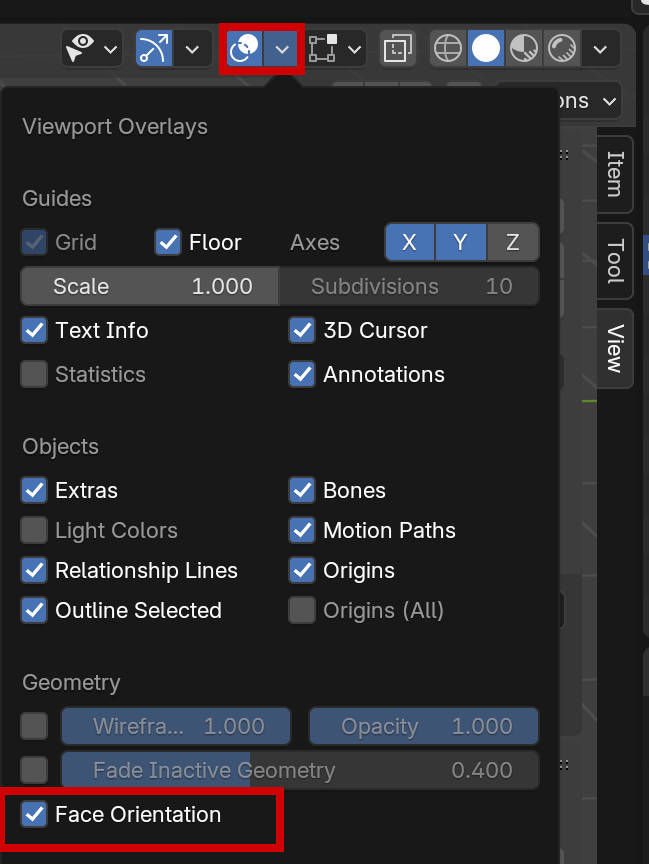
1. Face Orientation
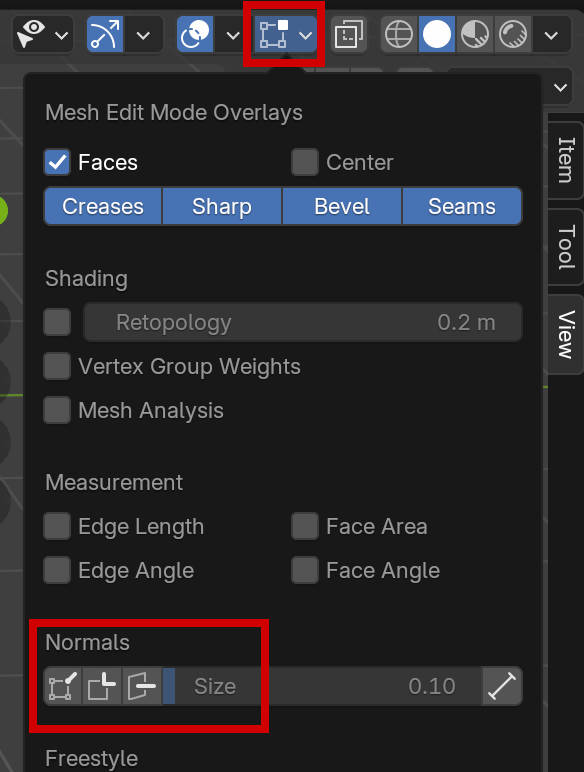
2. Normalen Anzeigen
Blender show normals
1. Face Orientation
2. Normalen Anzeigen
https://sketchfab.com:
Space 1999 Eagle
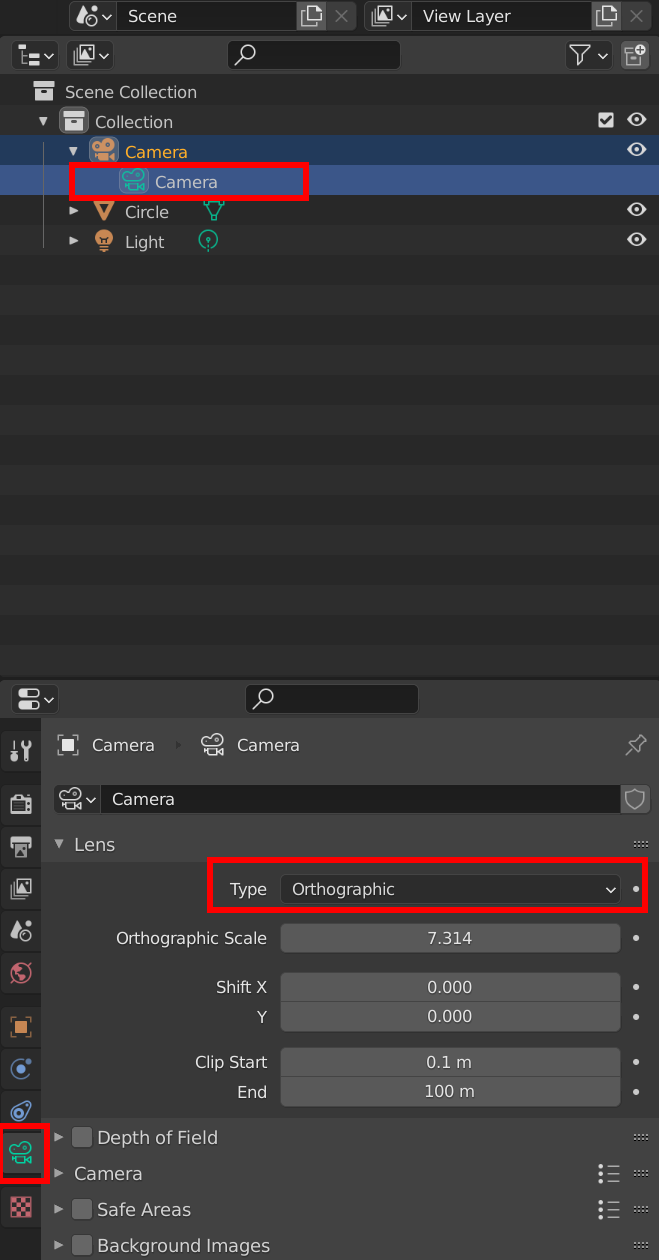
Blender 2.9: Camera Orthographic View / Orthographische Ansicht
Im Object-Mode:
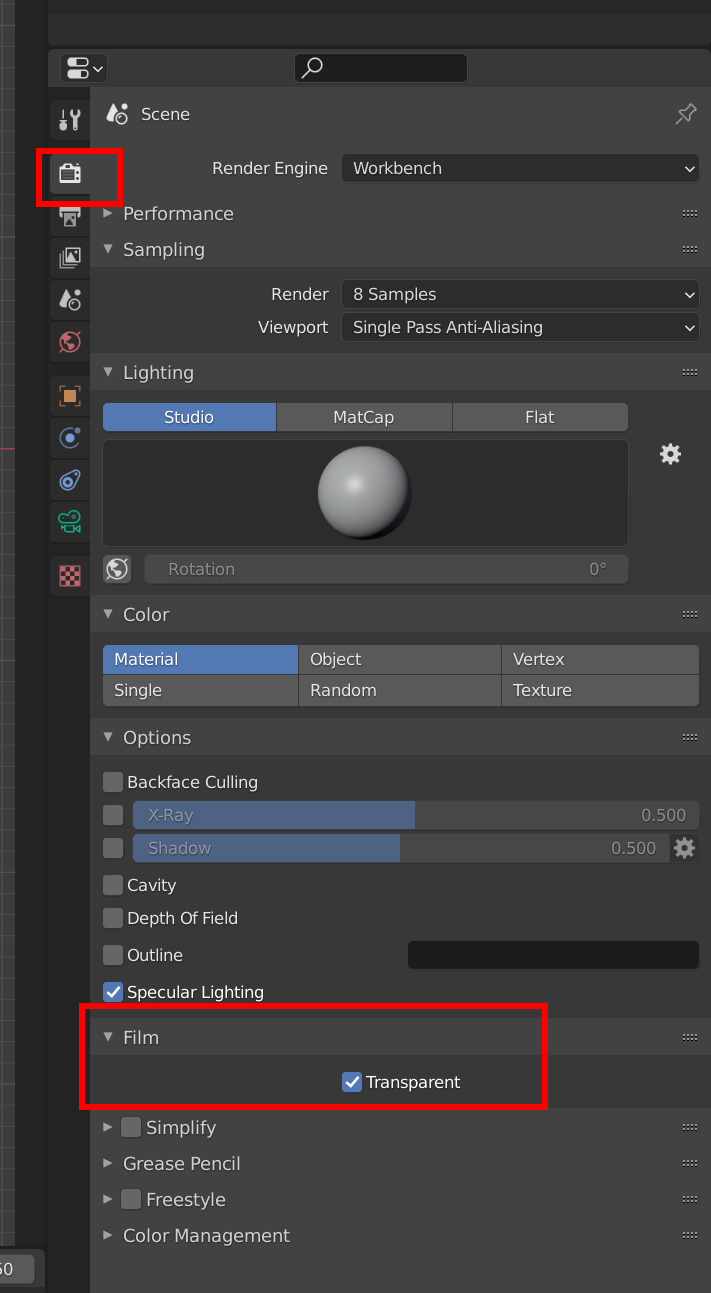
Blender 2.9: Transparent Render:
| Shortcurt | Funktion | Kommentar |
| Ctrl-r | Edge Loop erzeugen | |
| gg | Edge Slide | |
| Shift-Alt-LMB | Edge Loop auswählen | Im Edge-Auswahl-Modus (Taste 2) |
| 1 | Vertex-Auswahl | |
| 2 | Edge-Auswahl | |
| 3 | Face-Auswahl | |
| i | Inset | |
| Alt-s | entlang Normale verschieben | |
| Alt-z | versteckte Linienansicht ein/ausschalten | |
| Alt-n | Normalen Menü anzeigen |
Links:
https://styly.cc/tips/blender-modeling-usefulshortcut/
Align two objects by faces:
https://wiki.blender.org/index.php/Extensions:2.6/Py/Scripts/3D_interaction/Align_by_faces
Align Viewport to face normal:
https://blender.stackexchange.com/questions/15045/how-do-i-align-the-viewport-to-a-face-normal