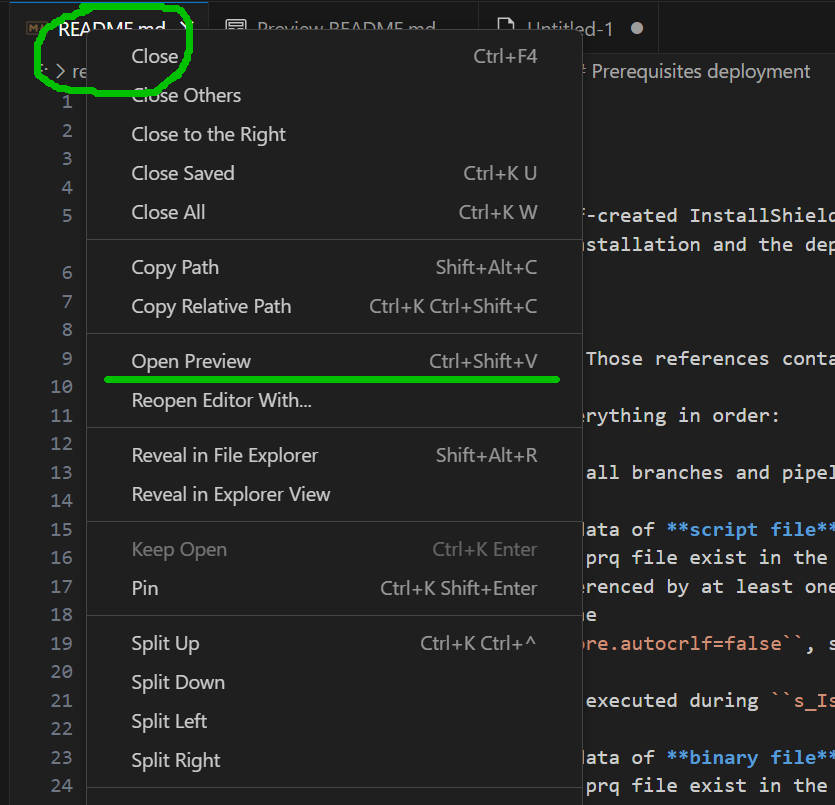
- Markdown-Datei in VS Code öffnen
- Mit rechts auf den Reiter der Datei klicken (Kontextmenü öffnet sich)
- „Open Preview“ anklicken
oder:
- Markdown-Datei in VS Code öffnen
- Ctrl-Shift-V drücken
This entry was posted on Montag, August 31st, 2026 at 9:07 a.m. and is filed under Uncategorized. You can follow any responses to this entry through the RSS 2.0 feed.
Both comments and pings are currently closed.